
Visual RAG
Visual RAG indexes your files in both text and image, combining the stability of text indexing with the flexibility of visual indexing. It can retrieve information from graphs, charts, and complex table layouts that text-based RAG systems miss.
What you’ll learn:
- How to upload files and create vector stores
- How to search with both text and image retrieval
- How to build an end-to-end RAG pipeline
Supported formats: PDF, PPTX, DOCX, HTML, PNG
Workflow
Section titled “Workflow”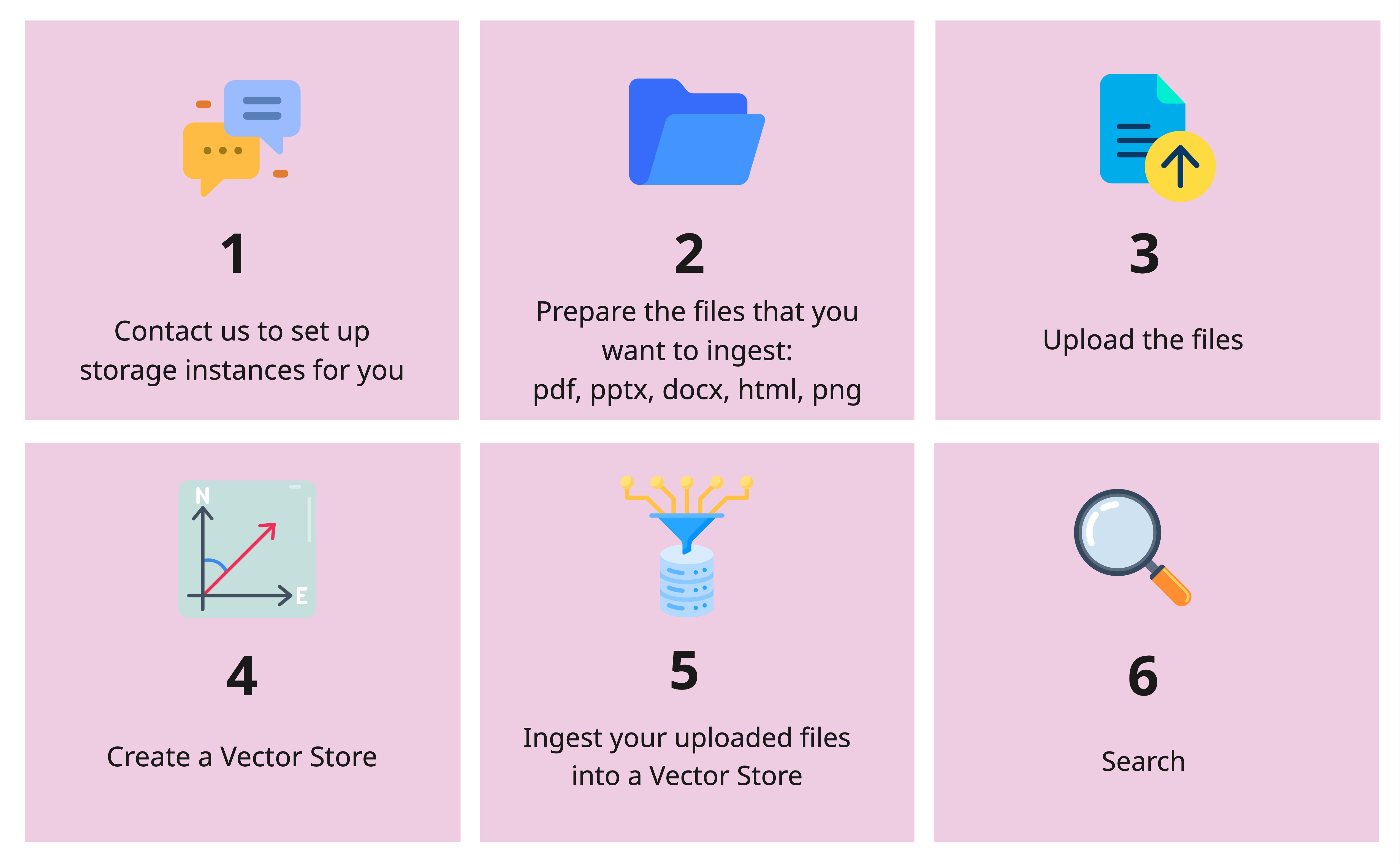
import os
from openai import OpenAI
client = OpenAI(    api_key=os.getenv("OPENAI_API_KEY"),    base_url="https://llm-server.llmhub.t-systems.net/v1",  # Note: v1 for Visual RAG)
File Operations
Section titled “File Operations”Upload a File
Section titled “Upload a File”uploaded = client.files.create( file=open("/path/to/your_file.pdf", "rb"), purpose="visual-rag",)print(f"File ID: {uploaded.id}")List Files
Section titled “List Files”file_list = client.files.list(purpose="visual-rag")for f in file_list.data: print(f"ID: {f.id}, Name: {f.filename}")Get File Info
Section titled “Get File Info”file_info = client.files.retrieve("file-abc123")print(file_info)Delete a File
Section titled “Delete a File”client.files.delete("file-abc123")Vector Store Operations
Section titled “Vector Store Operations”Create a Vector Store
Section titled “Create a Vector Store”vs = client.vector_stores.create( name="my_vs", chunking_strategy={ "text_embedding_model": "text-embedding-bge-m3", "vision_embedding_model": "tsi-embedding-colqwen2-2b-v1", },)print(f"Vector Store ID: {vs.id}")List Vector Stores
Section titled “List Vector Stores”for vs in client.vector_stores.list(): print(f"{vs.name} ({vs.id}) - {vs.file_counts}")Ingest a File
Section titled “Ingest a File”client.vector_stores.files.create( vector_store_id="xyz-456", file_id="file-abc123", chunking_strategy={ "chunk_size": 1024, "chunk_overlap": 100, },)List Ingested Files
Section titled “List Ingested Files”files = client.vector_stores.files.list(vector_store_id="xyz-456")for f in files.data: print(f"{f.id} - {f.created_at}")Delete an Ingested File
Section titled “Delete an Ingested File”client.vector_stores.files.delete( vector_store_id="xyz-456", file_id="file-abc123",)Delete a Vector Store
Section titled “Delete a Vector Store”client.vector_stores.delete(vector_store_id="xyz-456")Retrieval
Section titled “Retrieval”Search your vector store with both text and image results:
results = client.vector_stores.search(    vector_store_id="xyz-456",    query="Which new features are supported?",    extra_body={        "top_k_texts": 3,        "top_k_images": 2,    },)
for result in results:    if result.content[0].type == "text":        print("Text result:", result.content[0].text[:200])    elif result.content[0].type == "base64":        print(f"Image result from {result.filename}, page {result.page_number}")
End-to-End RAG Example
Section titled “End-to-End RAG Example”Combine retrieval with LLM inference for a complete Visual RAG pipeline:
from openai import OpenAI
rag_client = OpenAI(    api_key=os.getenv("OPENAI_API_KEY"),    base_url="https://llm-server.llmhub.t-systems.net/v1",)llm_client = OpenAI(    api_key=os.getenv("OPENAI_API_KEY"),    base_url="https://llm-server.llmhub.t-systems.net/v2",)
# 1. Retrieve relevant contextcontexts = rag_client.vector_stores.search(    vector_store_id="xyz-456",    query="What are the key metrics?",    extra_body={"top_k_texts": 5, "top_k_images": 3},)
# 2. Build prompt with text and image contextscontent = [{"type": "text", "text": f"Based on the following context, answer: What are the key metrics?\n\n"}]for ctx in contexts:    if ctx.content[0].type == "text":        content[0]["text"] += ctx.content[0].text + "\n\n"    elif ctx.content[0].type == "base64":        content.append({"type": "image_url", "image_url": {"url": ctx.content[0].text}})
# 3. Get answer from LLMresponse = llm_client.chat.completions.create(    model="claude-sonnet-4",    messages=[{"role": "user", "content": content}],    max_tokens=2048,)
print(response.choices[0].message.content)
Next Steps
Section titled “Next Steps”- Embeddings — Text-only embeddings for simpler RAG
- Multimodal — Analyze images with vision models
- LangChain Integration — Use RAG with LangChain